guotianzuo


哈哈哈。有意思,好玩,不过我挤进去了,关门后瞬移出来了。
很少吃月饼,小时候吃五仁的吃"伤"了,哈哈哈。
长大后四五年都吃不了一块月饼。
但是看见你做的藤椒的,流口水了。
哈哈哈,确实,都是自找的烦恼
一般都在公司内部的 OA 系统中有联系方式,但是也是员工入职时填的,肯定有一部分手机号已经换了,也没人主动去更新
OP 在南方?北方立秋之后凉快点了,喝冰的倒也不至于了,昨晚喝了点冰水,肚子还有点不舒服。
早饭每天必吃,公司食堂吃,不吃到了中午会低血糖
哈哈哈,看到标题,我以为是手里持有的金币数字反过来呢 。比如 1999,反过来变成 9991
周六日连电脑都不会开,只能 1-5 上来了
还是苹果的吧。我哥们的 ipad8,现在还在追剧用呢。
双休每天必打 3 小时羽毛球,然后就是休息了
9 键,可以盲打。26 键对我来说按键太小了,老是容易按错。
V 站现在这种帖子很火的。
网球场地确实少很多了,1 个网球场地可以做 4 个羽毛球场地了
昨晚又烧了一把战戟 8000
在这里,不过我已经打赏过了,现在不显示了而已
找到了,在表情里面 😂
不懂就问:我咋没找到打赏的地方啊?
微信读书 app,导入 txt 网络小说来看,一般是从这里下载: https://ixdzs8.com/
石头输了,也没啥看头了
我一般是小程序中找俱乐部,找别人组织的球局,这样 1 小时才十几块钱,1 小时能打个三四局吧,价格也能接受。北京这边,自己订场,起步 100,太贵了
上班日每天公司楼下打,双休日出去俱乐部打。烧了 3 双鞋,6 个拍子了 🥲 羽毛球是贵族运动了 😭
我现在空调 26 度了,电扇也不开。空调定时 2 小时关闭,半夜把我热醒了
我们同事有阳的
我也感冒了,不过我没有测。
我是周六日躺床上看电视,没盖被子,空调 22 度+电扇 1 档直吹。看电视睡着了,睡醒就感冒了 😂
值了几天风寒感冒颗粒+阿莫西林消炎就好差不多了。
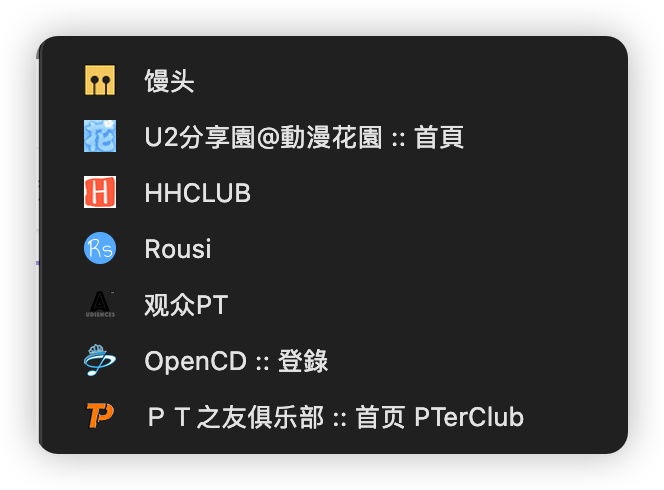
馒头和 HH。
馒头下电影。
HH 用来追剧,追综艺。
其他的查漏补缺吧。
之前做 NAS 影视墙的时候,这些网站都找过资源,画质最顶、翻译内嵌、体积最大,我就下哪个
rousi 自打换了网站之后,不行了,一落千丈。
飞书云文档 我们公司现在所有文档都迁移到飞书上了 直接在飞书客户端里就可以用 还是很方便的
骚瑞,看错了,以为是 PT,原来是 BT,BT 我不知道啊
PT 一般就是以下这些吧
用不上了 手机和电脑都是苹果了
之前给我姐他们也推荐买红米、小米。后来有一年他们自己换的荣耀。说荣耀比红米好。
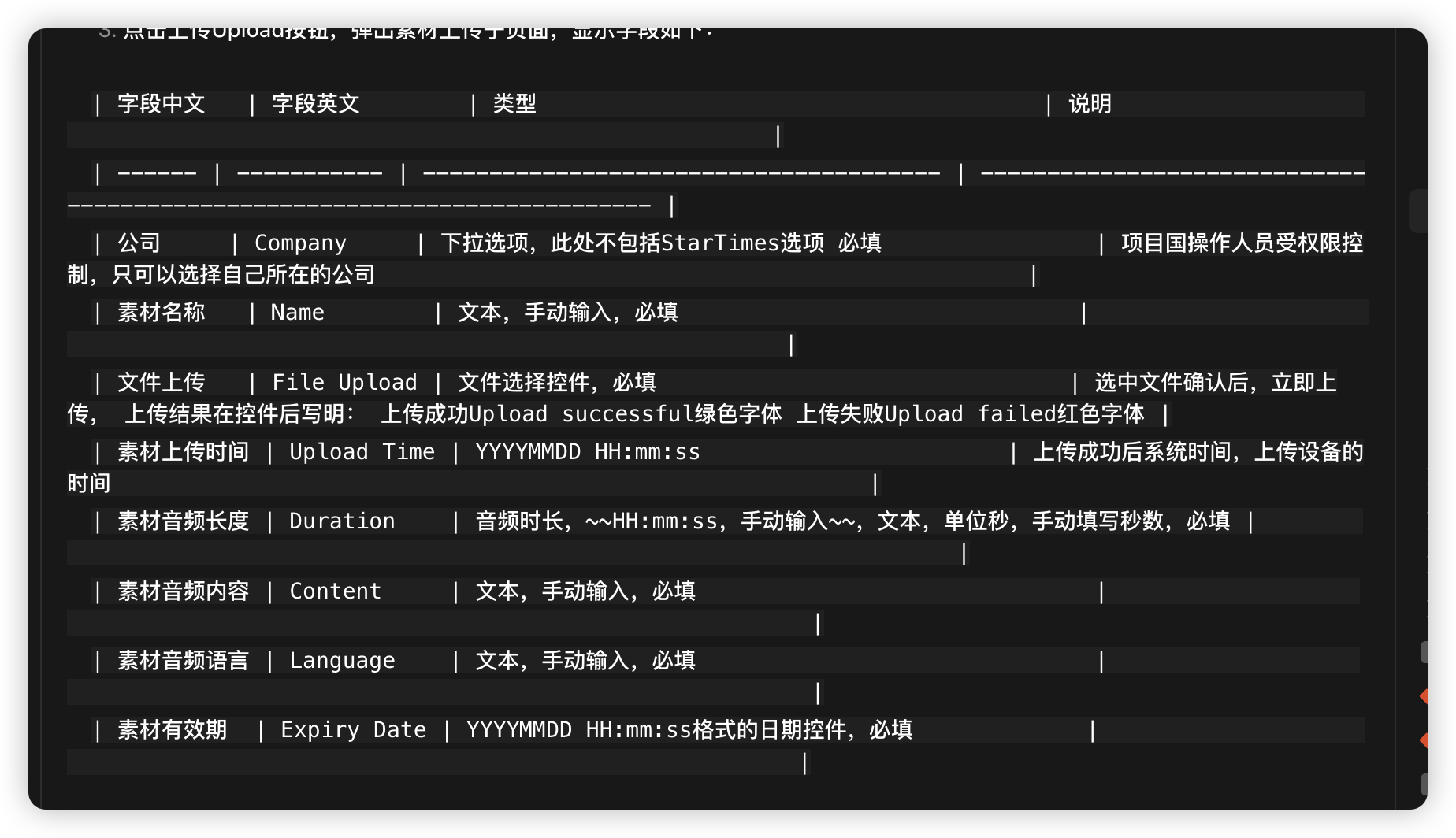
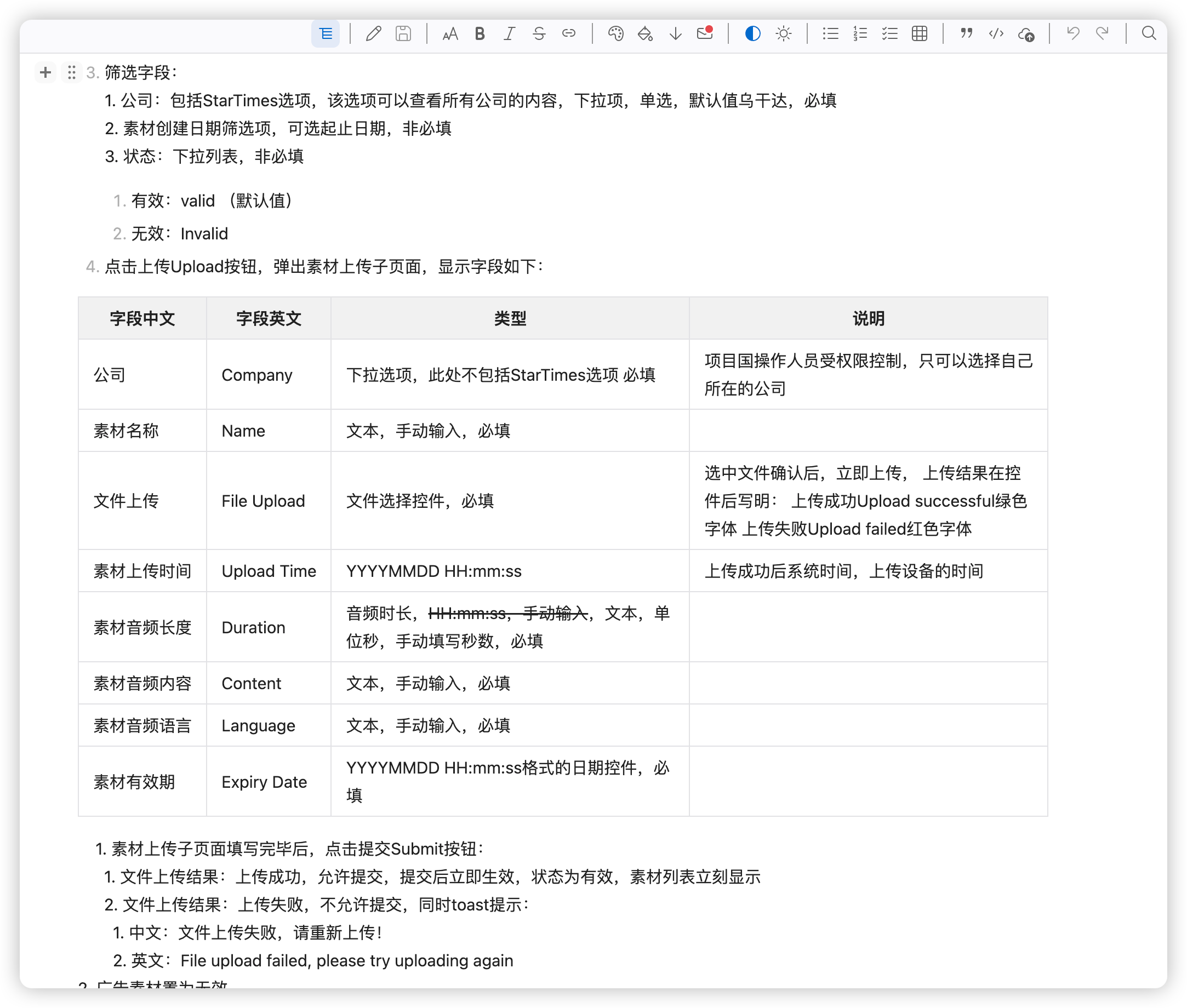
上图是 codex 预览的
同一份文件,vscode 的 md 插件的预览就没问题
欺诈游戏的日剧也很好看的。好多年前看过。
我是用的 cc 的终端+VSCode,自己换的模型,可以看代码、看文档。使用起来感觉还行。
codex 虽然也可以看文档,但是 md 预览做的不太好。
任何话题,任何帖子,都有人骂,抬杠。很让人恼火。现在已经不去看了,没什么意思
我周六买了一个,今天带到公司给同事玩了玩,同事他手里有 1 代,然后非常羡慕 2 代的画质 😂
另外有些 1 代游戏,也有了 2 代的优化包,还是不错的
恭喜 🎉 我才 5 级,遥遥无期呢。只有羡慕份儿
加油 💪,双休好日子在向你招手
领到啦
100 天?周六日你也签到啦?牛哇
我一般是在公司 摸鱼的时候才上 😂
哈哈哈,算盘珠子崩我脸上了
还得是未婚的、年轻的测试妹妹,已婚的就够呛了
排在队尾吸吸欧尾气
@bopomofo 我也不懂这个技术,所以如果真的能调节度数,肯定要体验一下的。近视人士的福音啊
如果真的发布自动调节度数的,我打算去店里试试,看看有没有锁定度数的功能。这样最好了。
特别注意核心黑科技:可以自动调视力调节度数,近视眼,散光,老花眼,只需要一镜搞定。
仁至义尽了,做好自己就行了。尊重他人命运
哈哈哈,惨,对桌也能听到咣咣咣吧
你要是只是为了追剧,弄个夸克网盘的会员,加几个分享的扣扣群,资源也很好很快的。不需要所有视频站的会员了就。搜索的时候:“资源名字 + 夸克”。差不多都能找到
之前买的群晖,后来卖了,自己 🐟 上组了一个
i3-12300T
内存我之前总是鼓捣电脑,有多余的,64GB
硬盘在两三年前还不贵的时候买的。12T 的希捷。800 左右一块,买了 4 块,加上本来就有的 2 个 4T 的硬盘,6 盘位大概 57TB
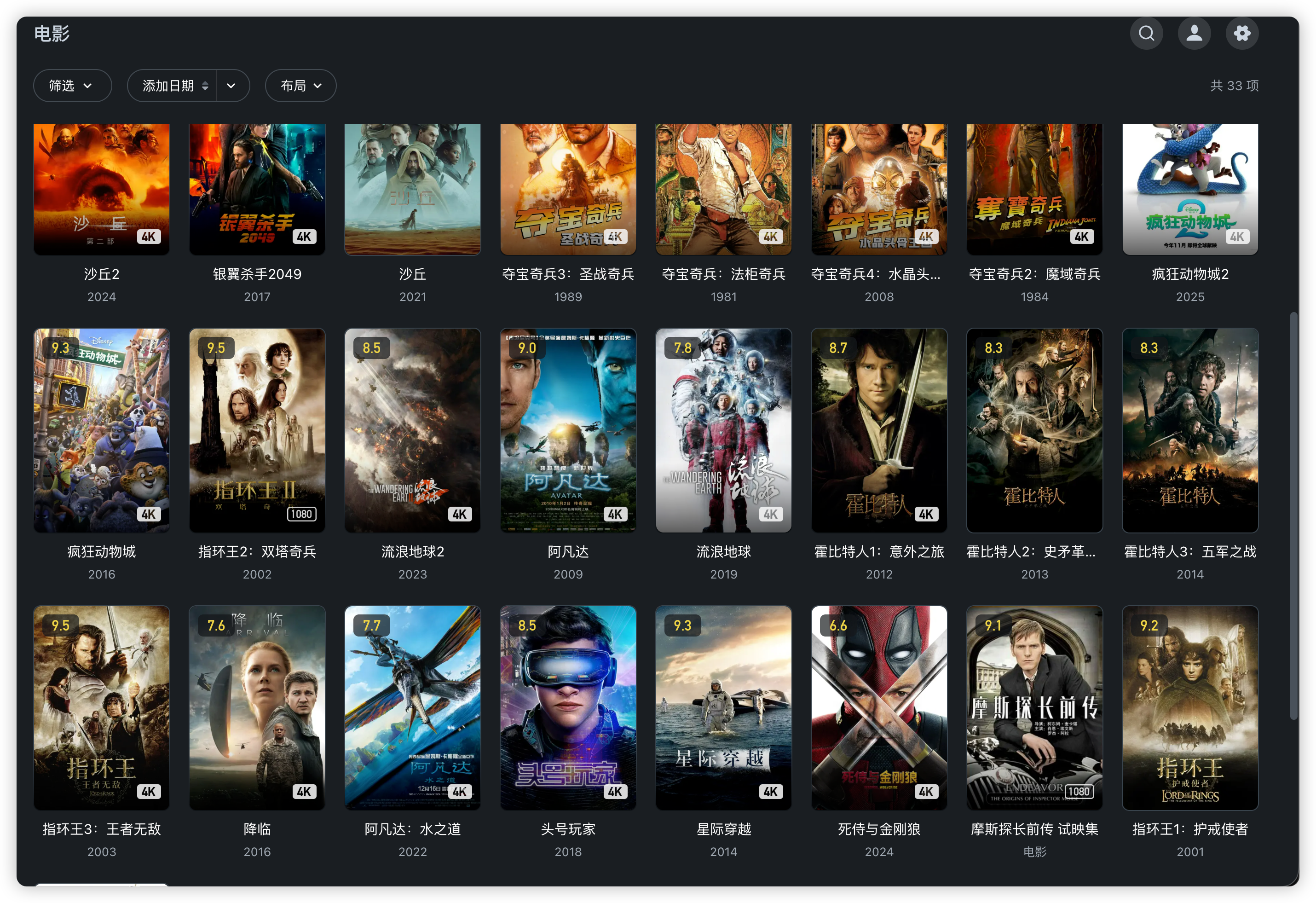
PT 站有馒头、ad、HH 等。下了一堆 4K、蓝光的影视剧。
用的飞牛的系统。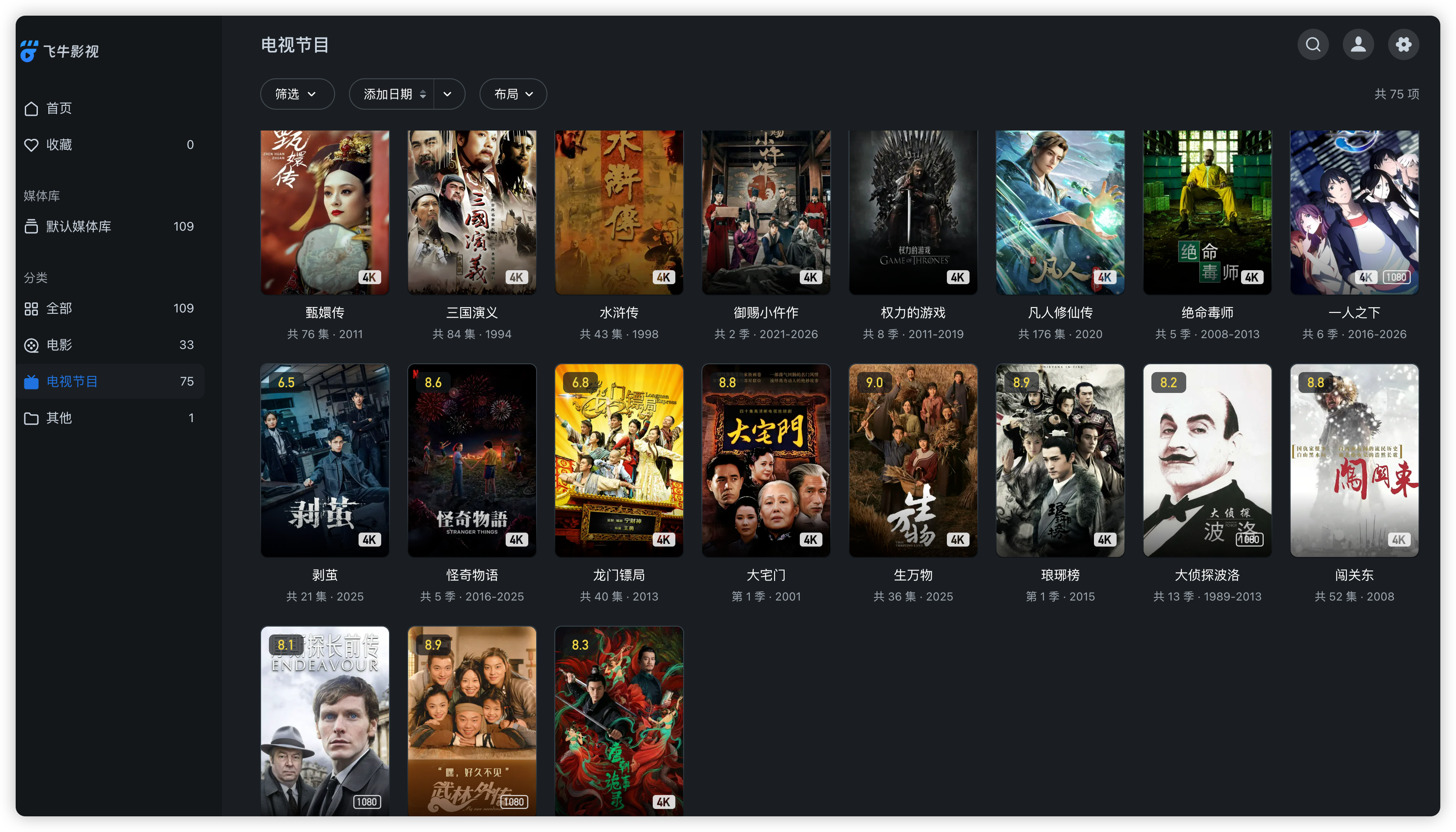
没有的