guotianzuo


我是秋天吹电扇,晚上开了一宿,吹到腰了,坐也坐不下,也直不起腰
然后去的社区医院,骨科,医生给开的按摩+照灯。一次就好了。
大佬威武
哈哈,无所谓了,公司的所有文档都在飞书上,我还有其他电脑可以办公。这个电脑本地没啥办公的文件
年抛的我好像只有电动剃须刀的刀头,因为是德国博朗的,一年换一次就行,一般就是双十一买,还能便宜点。
北京,公司 400+,部门 30+,疫情前裁过人,年年新招,呆得住的不多
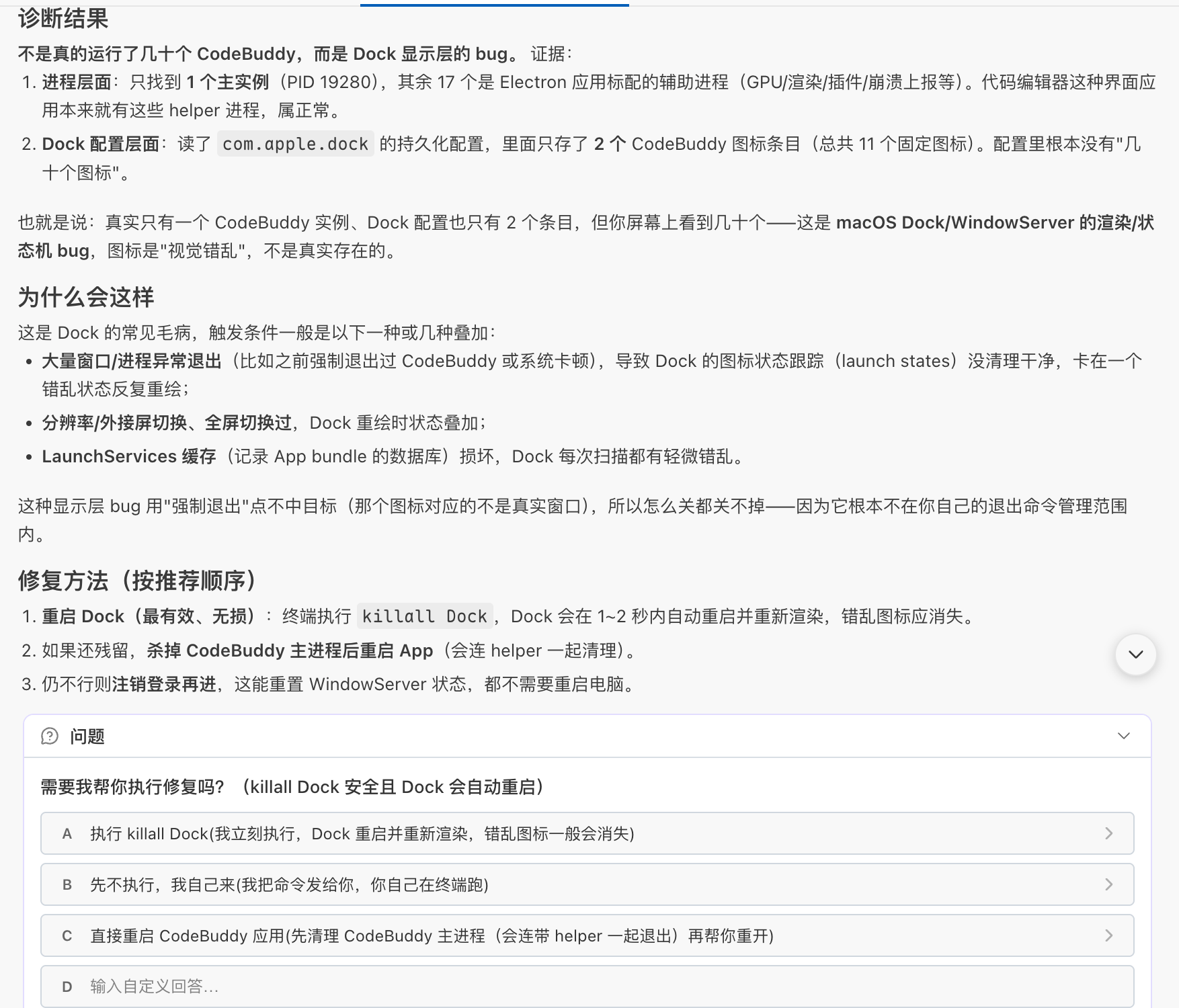
看了下电脑 CPU 和内存,倒是正常。
关注羽毛球,说实话,很失望,后继无人啊。
乒乓球因为新队长 ,也关注了。
之前公司有钱的时候,每个部门自己组织活动,我们部门就是羽毛球比赛,直接包场馆。当然,现在没了
其他部门有爬山的,吃饭的,篮球,足球等等,五花八门。要说游戏比赛,好像还真没有过。
6666?贵了吧。刚才看了一下,感觉 1000 金币/天差不多
大扫除利器,推荐火碱
换到华为 Pura X View 了,用着不错,常用软件都有了。
小米的手机最近几年没用,只是发布会后看看配置。
大超时买的鸡蛋都挺干净的,估计出厂前会简单的清洁一下,这种煮鸡蛋我一般不清洗,也不会和别的一起煮,应该没啥问题
但是农村大集或者小商店、小超市的那种散鸡蛋,是真的需要清洗了,有的还有鸡屎沾着
哈哈,前排占位,我是来看八卦的,我自己倒是没什么素材可以提供了
高铁只有商务座和其他座 商务座可以躺下,空间大。有拖鞋,小车,水。电视可以看,小姐姐也温柔漂亮。
和马的 Grok Build 一样,最终都得开源接受大家的审查
恭喜恭喜,晋升有点虚,不如钱落进自己腰包踏实,现在还是拼命攒钱最好,有底气。
刚换了华为 pura x view,阔直板
iphone17 4000 卖朋友了
除了苹果保值,其他的手机都不行
昨天周日卖了一个 ipad 抖音直播活动买的 2800+,转转回收 2900+,赚了几十块钱 😂

夏天的一套 T 恤和短裤,89 吧我记得。主打一个速干,舒适,宽松
周六日都是:上午打羽毛球三小时,下午睡觉
好羡慕已经退休的人啊,我还得干二十多年 😭
神探狄仁杰、武林外传、唐朝诡事录
看上华为的阔直板了,打算周末去店里看看
当前,苹果小米都会去看看真机,反正都在一个商场里,哈哈哈哈
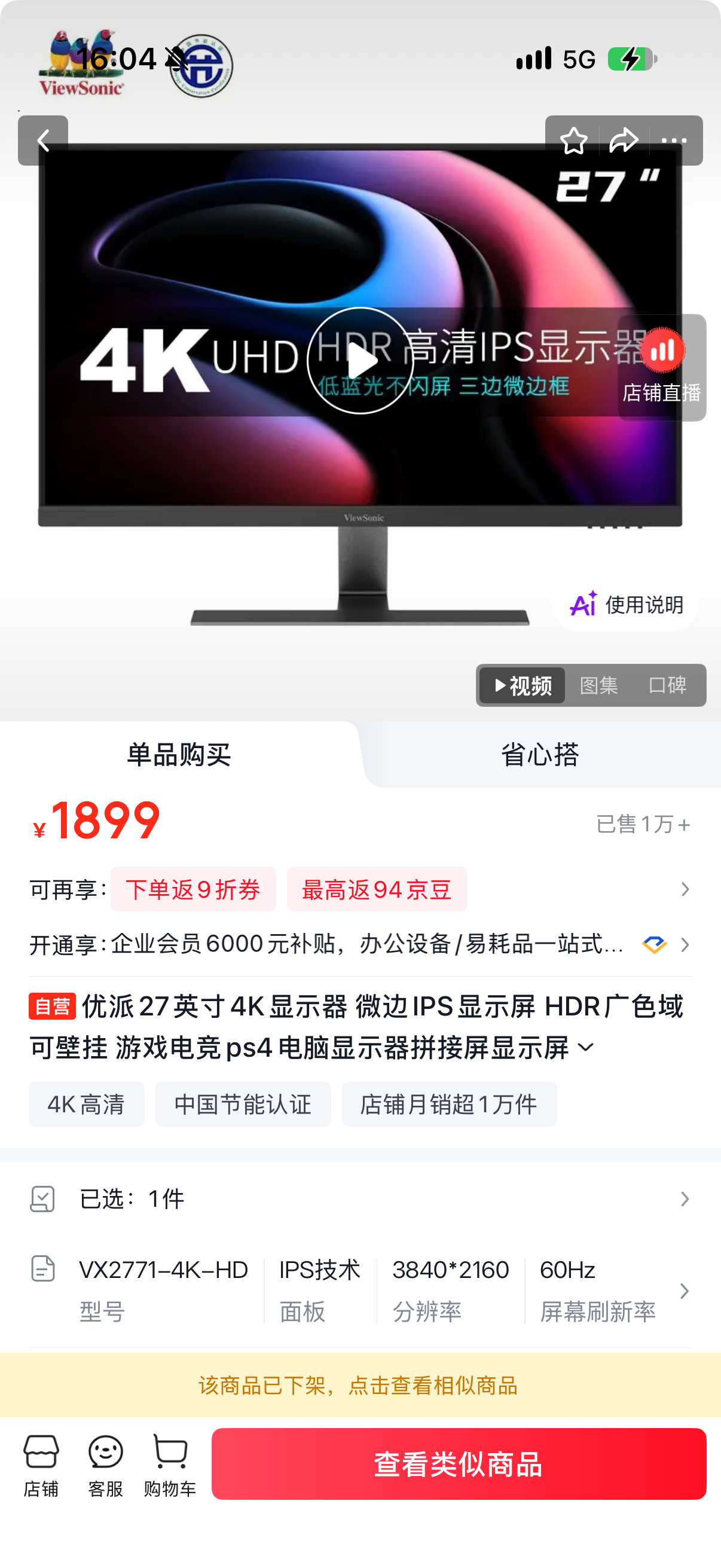
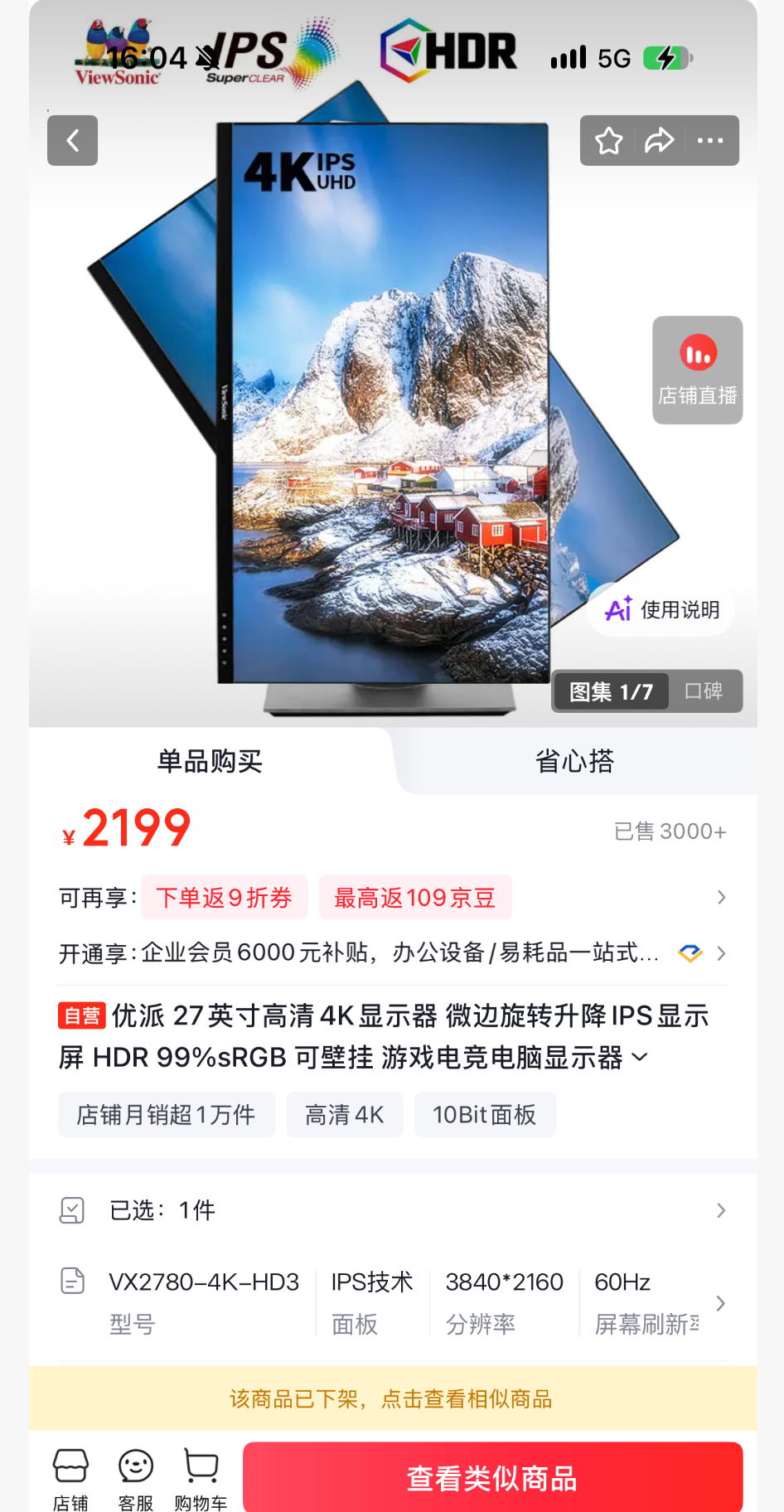
连个 27 寸 4K 的都是优派,一个 1574,另一个 1998,他俩不是一起买的,当时 1500 的那个没了,就选了 1998 那个 现在都没货了,还涨价了
纯好奇:不排辈儿吗?
我父亲那一辈,中间的字都是喜,郭喜 X
我们这一辈的男孩子,我、我哥、我堂哥、堂弟,中间字都是天,郭天 X。女的中间字就是香, 郭香 X
下一辈的女孩子,中间字都是佳,郭佳 X。男孩子我倒是忘了,主要是好久不回家了。我懒得问 😂
现在都是啥便宜用啥了
一个 4K32 寸+两个 4K27 寸 总共花了 4600
放假超过三天,我就在家呆腻了,心想还是上班好啊有钱拿,还能摸鱼
国内的 AI 客户端,我正在用 CodeBuddy,还不错。
AI 短剧真的很上头啊,最近一直在看,昨天三个小时刚看完了大秦仙朝,有点意思。
🐂🍺 啊,远远的看去,还以为在工作呢,哈哈哈哈
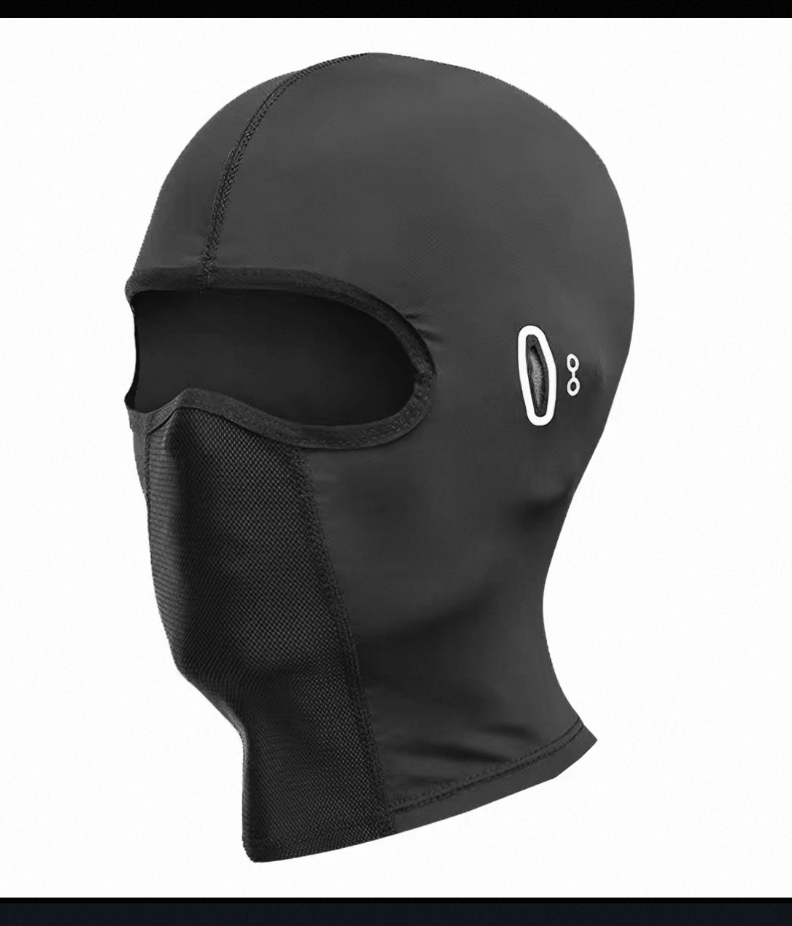
头盔换一个 3C 的,冬天冷的话可以买个头套,头套图片不让上传,就是电影中劫匪那种全覆盖头套
箱子我买的是这个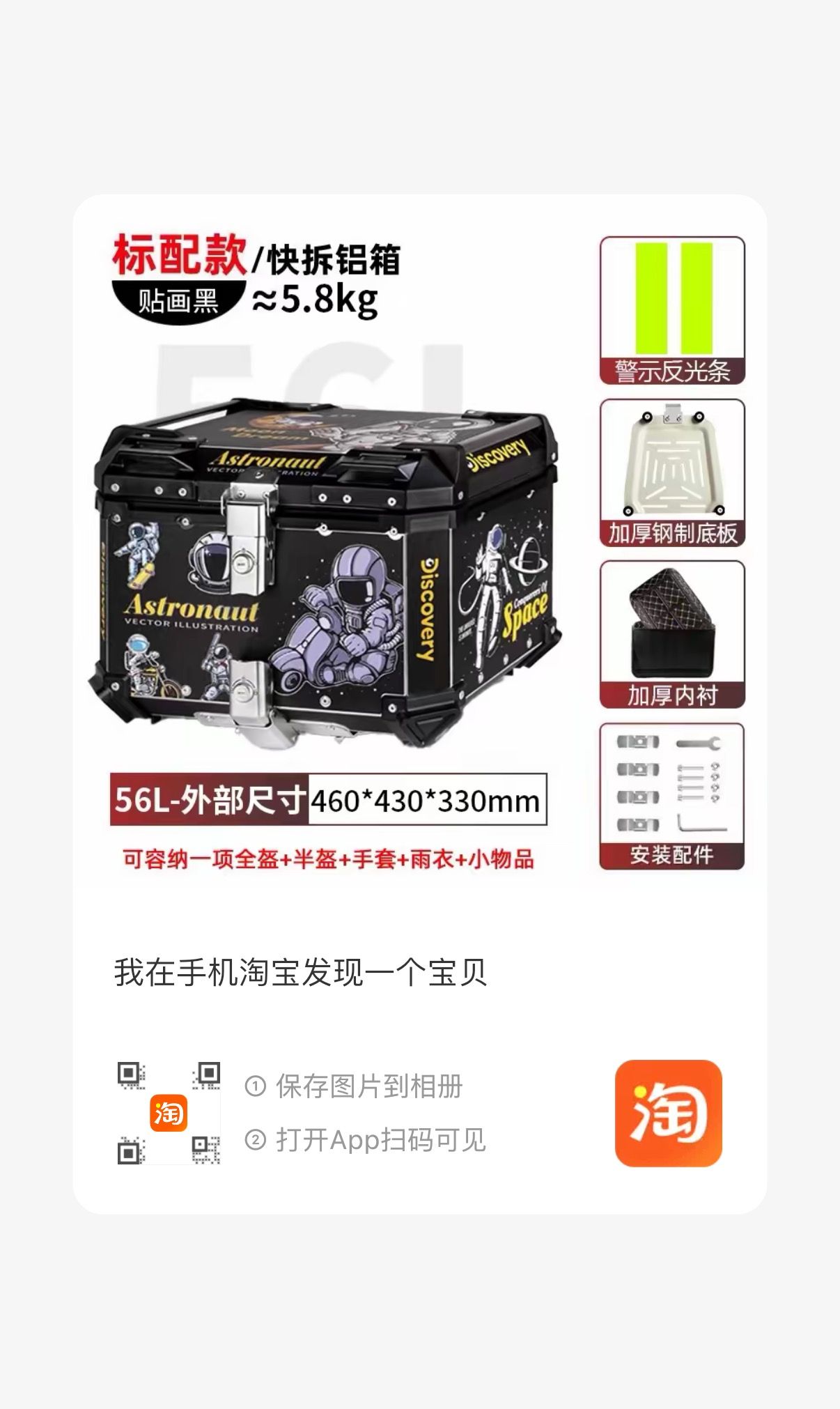
箱子太沉,用圆柱铁棍那种托架,很容易折,我用的这种加厚的条铁: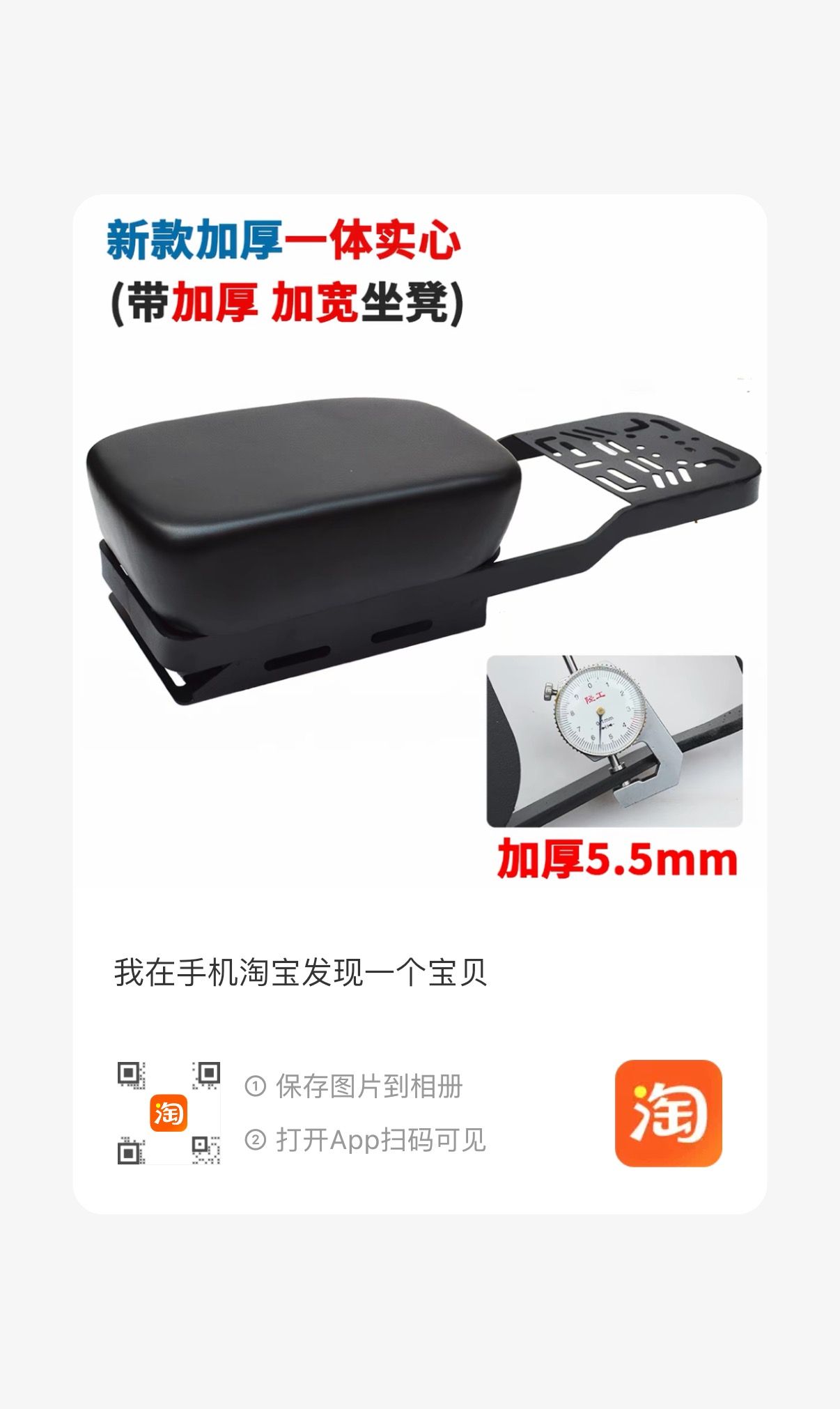
😂 先休息一段时间吧。上班太累了。
不是无期限合同?
学习一下,谢谢大佬分享
我也这样,明明记得刚才决定了要做什么,但是转眼就忘了
所以,现在要做的事情,全部发到微信文件传输助手里面,省得忘了
矮子里面拔高个 现在用网易邮箱大师 mac 的邮箱客户端都试用过了 最终还是得用回这个 😂
冬天会泡立顿红茶,平时就是凉白开了
每年都会换个杯子,因为红茶泡时间长了,杯子是真是刷不出来啊
看图,发现站在你家确实不好够到马蜂窝 还是得楼下那家。op 家楼层不高吗?
徐水驴肉火烧
399 美元?那算了
生日快乐,加油 💪
户子姐到底是谁啊?纯好奇
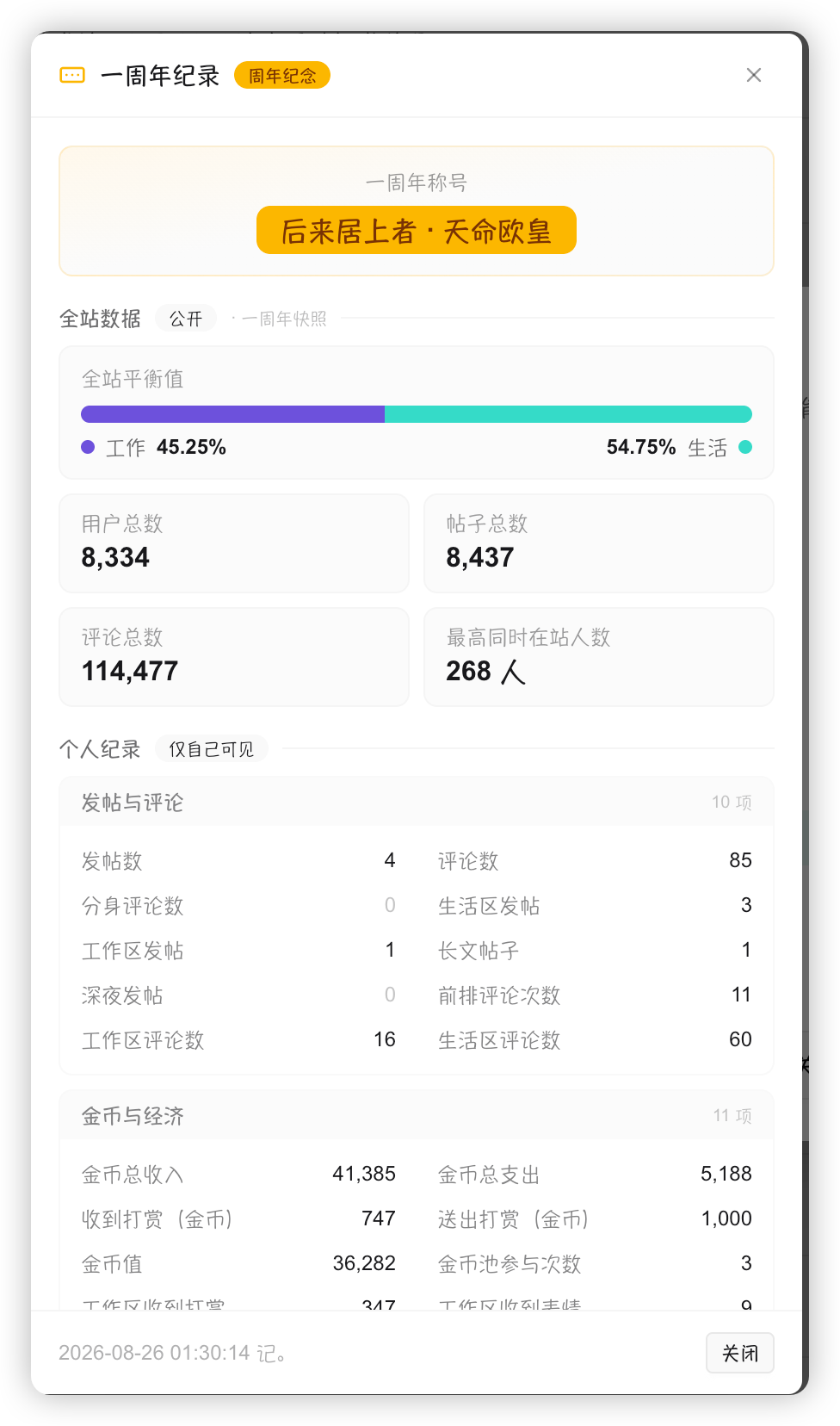
来啦老弟
获得勋章啦
一周年了,加油
大概率是假的
如果是真的,恭喜 op 啦