推荐一个在访达一键打开终端的 app

11 条回复
117 次浏览

imgpre.gif

cdto:在目标文件夹点击 app 图标直接打开位于当前目录的终端

相比原生方式:

  1. 右键文件夹->服务->打开位于当前位置的终端窗口
  2. 聚焦搜索终端回车打开终端->输入 cd 并将文件夹拖进来

相比于原生的方式方便了一点点

GitHub

使用:

下载->解压->拖动解压出来的 app 到应用程序文件夹(防止误删)->按住 cmd 将 cdto 图标拖到访达工具栏进行固定
首次打开需授权

前排打手
OP

右键文件夹->服务->打开位于当前位置的终端窗口

对有这个,但是还是不够方便 😂

种子用户

点一下和点两下的区别吧,我倒是觉得多点一下也没关系,没必要多装一个 app

前排打手
OP

It's also shell agnostic. Works equally well when your shell is bash or fish or zsh.
它也是无壳的。无论是用 bash、fish 还是 zsh,这种方法都同样有效。
这是仓库的说明
如果是替换了默认终端那估计可以1765963029107.png
如果是独立的另一个终端那可能不太行,你试试?

前排打手
OP

哦好像不对,不清楚,得佬试下
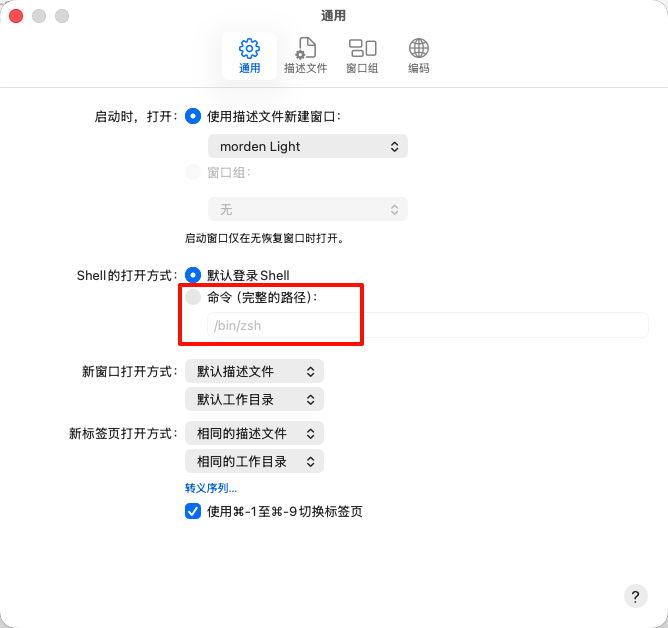
你的终端可以设置为默认终端吗?

前排打手
复制
[@lin](/user/lin/about) on run {input, parameters}
	tell application "Finder"
		try
			-- 获取当前最前面的 Finder 窗口的路径
			set theTarget to (target of front window) as text
			set currentPath to POSIX path of theTarget
		on error
			-- 如果没有打开窗口,默认指向桌面
			set currentPath to POSIX path of (desktop as alias)
		end try
	end tell
	
	-- 启动 Alacritty 并指定工作目录
	do shell script "/Applications/Alacritty.app/Contents/MacOS/alacritty --working-directory " & quoted form of currentPath & " > /dev/null 2>&1 &"
end run

弄个 applescript 实现一样的功能,使用方式和这个 cd 一致,

种子用户

@halfmoon

复制
#!/bin/bash

# 获取当前 Finder 窗口路径
finderPath=$(osascript -e 'tell application "Finder" to get the POSIX path of (target of front window as alias)')

# 检查 iTerm 是否正在运行
isRunning=$(osascript -e 'application "iTerm2" is running')

if [ "$isRunning" = "true" ]; then
  # iTerm 已在运行,检查是否有窗口
  hasWindows=$(osascript -e 'tell application "iTerm2" to count windows')
  
  if [ "$hasWindows" -gt 0 ]; then
    # 有窗口,创建新标签页
    osascript <<EOF
    tell application "iTerm2"
      activate
      tell current window
        create tab with default profile
        tell current session of current tab
          write text "cd \"$finderPath\""
        end tell
      end tell
    end tell
EOF
  else
    # 无窗口,创建新窗口
    osascript <<EOF
    tell application "iTerm2"
      activate
      set newWindow to (create window with default profile)
      tell current session of newWindow
        write text "cd \"$finderPath\""
      end tell
    end tell
EOF
  fi
else
  # iTerm 未运行,启动并创建新窗口
  osascript <<EOF
  tell application "iTerm2"
    activate
    set newWindow to (create window with default profile)
    tell current session of newWindow
      write text "cd \"$finderPath\""
    end tell
  end tell
EOF
fi

用的自动操作,这脚本应该可行
image

发表一个评论

R保持